
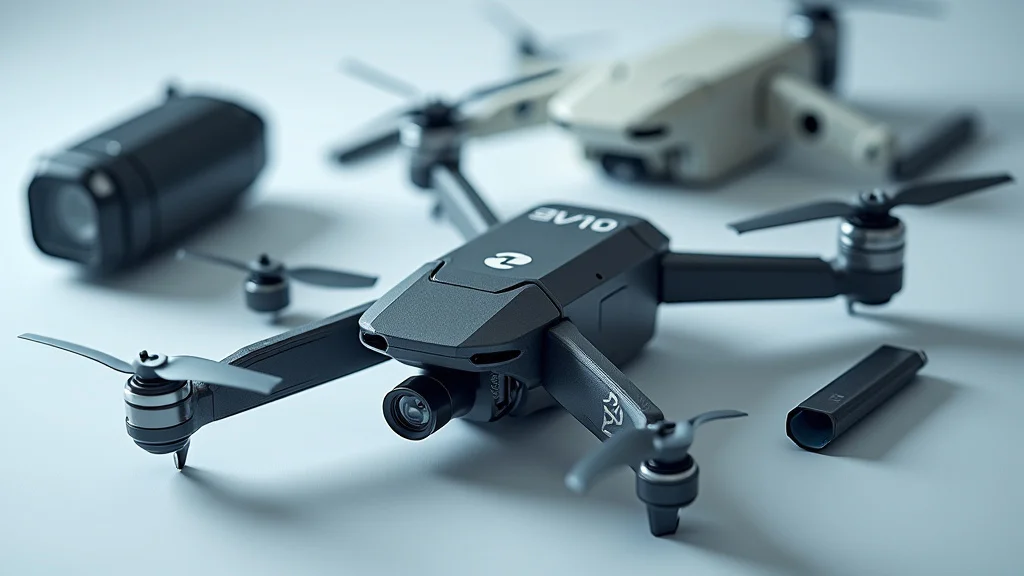
Ever tried to assemble a LEGO set without the instruction manual? It’s a bit like that when you’re dealing with a drone and its parts diagram! One day, your drone takes an unexpected nosedive into a tree. Suddenly, you’re faced with a tangled mess of wires, propellers, and circuit boards. Knowing what each part does and how it fits together is the difference between a successful repair and a pile of broken electronics. This post will give you the inside scoop on drone parts diagrams. You’ll get to explore the main components, how they work together, and get a better grip on maintenance and repairs. By the end, you’ll be able to explore the inner workings of your drone with confidence and keep your drone flying high!
Key Takeaways
- Identify the major components of a drone, from the frame to the flight controller.
- Explore how a drone parts diagram helps with maintenance and troubleshooting.
- Grasp the function of essential parts like motors, propellers, and batteries.
- Discover the role of the flight controller and other key electronic components.
- Gain familiarity with the diagrams used for drone repair and modifications.
- Understand the importance of selecting the right parts for your drone.
Essential Drone Components Explained
Drones, or Unmanned Aerial Vehicles (UAVs), have become increasingly common. From aerial photography to package delivery, their applications are diverse. At the heart of it all is a carefully designed collection of parts working in concert. Grasping the function of each part is essential for operating, maintaining, and repairing these airborne robots. A good drone parts diagram will break down these intricate systems into manageable chunks, making it much easier to comprehend how everything works together. This section will introduce the key components, allowing you to get a firm grasp of the mechanics.
The Frame: The Drone’s Foundation
The frame is the structural backbone of the drone. It provides a stable platform for all the other components. It protects the sensitive electronics from impacts. The frame’s design has a significant impact on the drone’s flight characteristics, including stability, agility, and weight. Frames are often made from materials like carbon fiber, fiberglass, or plastic, each with its own advantages in terms of strength, weight, and cost. Carbon fiber frames are the strongest and lightest, making them popular for professional drones, while plastic frames are more common in entry-level models due to cost considerations.
- Material: The type of material used for the frame influences its durability and weight. Stronger, lighter materials like carbon fiber often translate to improved flight performance and efficiency.
- Shape: Frames come in various shapes, including quadcopter (four rotors), hexacopter (six rotors), and octocopter (eight rotors). The shape affects flight stability and payload capacity.
- Size: The size of the frame determines the overall dimensions and, to a large extent, the size of the propellers. Bigger frames can handle larger payloads and fly in tougher conditions.
- Vibration Dampening: Some frames are designed with vibration dampening features, such as rubber mounts, to reduce the impact of vibrations on the flight controller and camera.
Imagine the frame like the skeleton of an animal. It gives the drone its form and structure. Without a strong, well-designed frame, the drone wouldn’t be able to stay in the air effectively. A well-built frame protects the delicate electronic parts inside. Frame choices greatly determine the drone’s capability and usefulness.
Motors and Propellers: The Power Behind the Flight
Motors and propellers are the heart of a drone’s propulsion system. The motors convert electrical energy into mechanical energy, spinning the propellers to generate lift and thrust. The propellers are the spinning blades that push air downwards, creating the upward force that allows the drone to fly. The choice of motors and propellers is critical. They directly influence the drone’s flight time, speed, and overall performance. A drone parts diagram will show how the motors are connected to the Electronic Speed Controllers (ESCs) and the propellers.
- Motor Type: Drones primarily use brushless DC motors. They are known for their efficiency, reliability, and long lifespan. They deliver excellent power-to-weight ratios.
- Motor Size and KV Rating: The size of the motor and its KV rating (RPM per volt) determine the motor’s power output and speed. Higher KV motors spin faster but produce less torque.
- Propeller Size and Pitch: Propellers come in various sizes (diameter) and pitches (angle of the blades). The size and pitch influence lift, thrust, and flight efficiency. Bigger propellers generate more lift.
- Propeller Material: Propellers are made from plastic, carbon fiber, or wood. Carbon fiber propellers are the strongest and most efficient but also the most expensive.
The motors are like the engines of an aircraft, and the propellers are like the wings. They work together to overcome gravity and keep the drone in the air. The pitch of a propeller is the measure of the distance it would move forward in one rotation. A higher pitch propeller moves more air downward, increasing lift and speed.
Electronic Speed Controllers (ESCs): Power Management
ESCs are the gatekeepers of power to the motors. They take the signal from the flight controller and regulate the speed of each motor independently. This level of control is essential for precise flight maneuvers. ESCs are crucial for the drone’s stability, responsiveness, and overall flight characteristics. The ESCs convert the signal from the flight controller into the correct voltage and current needed to spin the motor at the required speed. A drone parts diagram will clearly illustrate the placement of the ESCs in relation to the motors, flight controller, and battery.
- Function: ESCs control the speed of the motors based on signals from the flight controller. They ensure each motor receives the correct amount of power.
- Current Rating: The ESC’s current rating must be equal to or greater than the maximum current draw of the motor it powers. Undersized ESCs can overheat and fail.
- Firmware: ESCs have firmware that can be adjusted to optimize their performance, such as adjusting the motor timing or setting braking characteristics.
- Types: ESCs can be either integrated into the flight controller (especially in smaller drones) or be separate units.
ESCs act as the power managers for each motor. Without them, the motors wouldn’t be able to receive the signals needed to function properly. They help with smooth acceleration, deceleration, and the ability to hover in place. This makes the drone incredibly responsive and easy to control.
Flight Controller: The Brain of the Operation
The flight controller is the brain of the drone. It takes data from the drone’s sensors and uses it to maintain stability, direction, and respond to the pilot’s commands. It’s a complex piece of equipment with a lot of processing power. The flight controller uses sensors like the gyroscope, accelerometer, barometer, and GPS to gather data. This data is processed by the flight controller’s internal computer, determining the necessary adjustments to the motors. The flight controller is the central hub, coordinating every aspect of the flight. This is the place where understanding the drone parts diagram is most important. Knowing how the sensors work with the ESCs and motors is crucial.
- Sensors: The flight controller uses various sensors, including gyroscopes (to measure orientation), accelerometers (to measure acceleration), and barometers (to measure altitude).
- Processing: The flight controller’s processor interprets sensor data and pilot input to control the motors via the ESCs.
- Firmware: Flight controllers run on specialized firmware that can be updated. This firmware determines the flight characteristics and the drone’s features.
- Connectivity: Flight controllers usually have ports to connect with the receiver, GPS module, and other devices.
Think of the flight controller as the pilot, interpreting all the information and making split-second decisions to keep the drone flying smoothly. The gyroscope helps the drone maintain its orientation in space, which makes precise maneuvers easy. GPS adds a layer of precision, letting the drone fly programmed routes.
Battery: Fueling Flight
The battery provides the power needed to operate the drone. It’s an important part of the drone’s design and operation. Lithium Polymer (LiPo) batteries are common in drones. They offer a good balance of energy density, weight, and cost. Battery capacity, voltage, and discharge rate determine flight time, power output, and overall performance. Selecting the right battery for your drone is essential for optimal flight characteristics and safety. A drone parts diagram will always include the battery and the location of the battery connector.
- Type: Drones typically use LiPo batteries due to their high energy density and lightweight nature.
- Capacity: Measured in milliampere-hours (mAh), battery capacity determines the flight time. A higher capacity means longer flight times.
- Voltage: The battery voltage affects the motor speed and power output. Common voltages are 7.4V (2S), 11.1V (3S), and 14.8V (4S).
- Discharge Rate (C Rating): The C rating indicates the rate at which a battery can safely discharge its energy. Higher C ratings enable faster acceleration and more power.
The battery is like the fuel tank of a car, providing the energy for flight. The higher the mAh, the longer the drone can stay in the air. The discharge rate is the speed at which the battery can release its energy. Always use a battery with the correct voltage for your drone to avoid damage. Never overcharge or over-discharge a battery to ensure your safety and extend its lifespan.
Receiver and Transmitter: Pilot to Drone
The receiver and transmitter form the communication link between the pilot and the drone. The transmitter is the remote control used by the pilot. The receiver is installed on the drone. It receives the control signals from the transmitter and relays those signals to the flight controller. This allows the pilot to steer the drone, control its speed, and trigger other functions. The reliability and range of the communication link are important for a good flying experience. A quality drone parts diagram will show the antenna location on the receiver.
- Frequency: Drones typically use radio frequencies like 2.4 GHz or 5.8 GHz for communication. These frequencies provide a good balance between range and performance.
- Channels: Radio systems often use multiple channels for controlling different functions. Each channel represents a specific command, such as throttle or aileron.
- Range: The operating range of the transmitter and receiver is a crucial factor, especially for professional applications.
- Telemetry: Many systems provide telemetry data, transmitting information such as battery voltage and signal strength back to the pilot.
The transmitter sends signals to the drone, and the receiver interprets those signals to make the drone respond. Consider the radio system like a wireless communication system. A strong signal is essential to avoid loss of control and to allow the drone to go a long distance. Modern systems use advanced technology to ensure a secure and stable connection between the pilot and the drone.
Decoding a Drone Parts Diagram
A drone parts diagram is like a map, showing all the components and how they fit together. Understanding the diagram is crucial for anyone who wants to repair or customize their drone. It also helps to prevent errors during assembly and disassembly. Different types of diagrams exist, ranging from simple block diagrams to more detailed exploded views. Familiarizing yourself with the different types of diagrams will help you explore the interior of your drone and perform maintenance with confidence.
Diagram Types and Their Uses
The type of drone parts diagram you need often depends on the task you’re performing. Each diagram type offers a specific view of the drone’s components and their connections. Some diagrams provide a visual overview of component placement. Others show the wiring connections. Knowing the diagram type will help you effectively accomplish the task.
- Exploded View: This type of diagram shows the drone’s components separated but in their relative positions. It is useful for understanding how the parts fit together.
- Block Diagram: Block diagrams use simple shapes to represent different components. They show how these components connect to each other. They’re good for understanding the system at a high level.
- Wiring Diagram: Wiring diagrams show the electrical connections between different parts. They are especially useful for troubleshooting electrical problems and performing modifications.
- Assembly Diagram: These diagrams are step-by-step instructions. They help with assembling and disassembling the drone.
Think of exploded views like a disassembled puzzle, allowing you to see all the individual pieces. Block diagrams are like flowcharts, which are excellent for understanding signal paths and component relationships. Assembly diagrams are step-by-step illustrations that guide you through building the drone. These diagrams are critical tools for anyone working with drones.
Interpreting Symbols and Labels
Drone parts diagrams use a set of symbols and labels to represent different components and connections. Symbols are a quick visual reference for components. Labels provide more specific information about the part’s function. Learning these common symbols and labels is essential for anyone who wants to understand and work on drones. These symbols and labels serve as a universal language for drone maintenance.
- Component Symbols: Resistors, capacitors, and integrated circuits are usually represented by standard electronic symbols.
- Wiring Symbols: Wires are represented by lines, with different colors often indicating different functions, like power or signal lines.
- Connector Symbols: Connectors are often represented by specific shapes. They show the different types of connections between parts.
- Labels: Labels usually include the part name, its function, and sometimes the specifications (voltage, current, etc.).
Imagine the symbols like the characters in a secret code. Understanding the code allows you to understand the diagram. Standardizing these elements helps to make the diagrams easy to understand. Wires that connect parts use a variety of colors to make it easier to see how power is routed through the drone. The labels clearly identify the function of each part and its connection details.
Common Diagram Challenges and Solutions
While drone parts diagrams are designed to be helpful, they can sometimes be confusing. Diagram clarity and the detail included can vary. The complexity of the drone and the design of the diagram itself can present challenges. With practice and the right approach, you can overcome these challenges. You’ll soon become adept at navigating these visual aids.
- Complex Diagrams: Large and complex diagrams can be hard to follow. Start by focusing on specific parts or systems. Break the diagram down into smaller, more manageable sections.
- Lack of Detail: Some diagrams may lack enough detail, especially for older or less well-documented models. Consult online resources, user manuals, and community forums.
- Incorrect Information: Diagrams may contain errors, or the design may have changed since the diagram was created. Always cross-reference the diagram with the physical drone.
- Poorly Labeled Components: When components are not well-labeled, it can be challenging to identify them. Compare the physical components with the diagrams to identify their function.
When you encounter a complex diagram, start by tracing the circuit of the specific part you’re interested in. If a diagram lacks detail, then explore additional sources of information. Verify the diagram with the drone itself to ensure accuracy. When you have trouble with the label, explore the physical components. Use a digital multimeter (DMM) to test the components. With the right tools and approach, you can find the solution.
Maintenance and Repair: Using the Diagram
A drone parts diagram is a crucial tool for keeping your drone in top condition. Whether you’re dealing with routine maintenance or unexpected repairs, the diagram gives you a guide. It makes the maintenance process more organized and efficient. It allows you to quickly locate and diagnose issues. This section explores how to use the diagram for maintenance and repair.
Routine Maintenance: Visual Inspection
Regular visual inspections are a must to keep your drone in good working condition. These inspections involve checking for any signs of damage, wear, or loose components. The drone parts diagram helps identify all the parts that need to be checked. This is the first step towards a long-lasting drone.
- Propellers: Examine the propellers for cracks, chips, or warping. A damaged propeller can cause vibrations and reduce flight performance.
- Motors: Inspect the motors for any debris or obstructions. Make sure they spin freely without any resistance.
- Frame: Check the frame for any cracks, loose screws, or damage. Tighten any loose screws.
- Wiring: Inspect the wiring for any damage or wear. Ensure the wires are securely connected to the components.
Imagine the visual inspection like a quick health check-up for your drone. Look for signs of stress, such as cracks in the frame or damaged propellers. Look at the motors to make sure they are not clogged with dirt or debris. The drone parts diagram shows the placement of all the parts. Using the diagram will make the inspection easier and more complete.
Troubleshooting Common Issues
When issues arise, the drone parts diagram becomes even more valuable. The diagram will show the relationship between each component in the system. The diagram is the key to identifying the source of the problem. You can systematically diagnose and fix problems, from flight instability to motor failure, by using the diagram as your guide. The following information covers common problems that you will experience with your drone.
- Flight Instability: If your drone is unstable, check the propellers, motors, and flight controller. Make sure the propellers are balanced and the motors are working correctly.
- Motor Failure: If a motor fails, first check the ESC and wiring. Replace the motor if the problem is not resolved.
- Loss of Signal: If you lose signal, check the antenna connections. Consider the range of your transmitter and any possible interference.
- Battery Issues: If you see issues with battery performance, inspect the battery for damage. Be sure to check its charging.
When you encounter flight instability, check the motors, propellers, and flight controller. If a motor fails, examine the wiring. The diagram helps you find the likely cause of the problem, and by referencing the diagram, you can methodically identify the root cause. This helps to make repairs efficiently.
Parts Replacement and Upgrades
Whether you’re repairing a damaged component or upgrading your drone’s performance, the drone parts diagram is essential. It provides the exact part specifications and compatibility information you need. You can use the diagram to identify the parts you need to replace or upgrade, and ensure that the new parts fit correctly. This section provides helpful advice for choosing parts and making the upgrade.
- Choosing Replacement Parts: When replacing a part, make sure it matches the specifications of the original part. Look for the part number and specifications in the diagram.
- Selecting Upgrades: If you want to upgrade your drone, research compatible parts and check their specifications. Ensure they are compatible with your drone and flight controller.
- Wiring and Connections: When installing new parts, consult the wiring diagram. Double-check all wiring and connections.
- Testing and Calibration: After replacing or upgrading a part, calibrate your drone to ensure its proper function. This may involve adjusting the settings in the flight controller.
The diagram helps you choose parts and determine compatibility. It also makes sure that everything fits properly. Use the diagram’s wiring information to install new components and test them. Upgrading a drone is an exciting way to get more performance or features. Always check that the new parts match your needs.
Common Myths Debunked
There are many misconceptions about drones and their parts. These myths can lead to confusion. They can prevent you from properly maintaining and operating your drone. This section debunks some of the most common myths about drone parts diagrams and related topics, providing factual information to clarify.
Myth 1: Drone Parts Diagrams Are Always Perfect and Up-To-Date
Many people assume that drone parts diagrams are always accurate and current. The reality is that diagrams can contain errors. They can also be out of date. Drones often undergo changes in design. Diagrams are only correct at the time of their creation. Manufacturers update drone models constantly. Diagrams may not always reflect the latest revisions or improvements. It’s always a good idea to cross-reference the diagram with the physical drone. Consulting multiple sources, such as user manuals or online forums, can verify information.
Myth 2: All Drones Use the Same Parts
A common myth is that drone parts are interchangeable between all drone models. The truth is that drones come in a wide variety of designs. They often use unique parts that are specific to the model. Parts vary in size, specifications, and compatibility. A propeller that works on one drone might be unsuitable for another. It is important to know the parts that are specific to your drone and to get the correct replacement. Always refer to your drone’s manual and the parts diagram when you’re selecting parts.
Myth 3: You Need Advanced Technical Skills to Understand a Drone Parts Diagram
People often believe that understanding a drone parts diagram requires advanced technical expertise. While having some background in electronics or engineering is useful, it is not always necessary. Many diagrams are designed for users with a range of expertise. They contain symbols, labels, and explanations to help guide even beginners. You can explore the basics of drone mechanics and maintenance by reviewing the diagram and user resources.
Myth 4: More Expensive Drones Are Always Better
Many assume that a more expensive drone is always a better choice. The cost of a drone does not automatically indicate that it is better. It may be due to factors like build quality, camera, or the type of materials. A high-end drone can be unnecessary for basic aerial photography. Consider the features, specifications, and your own needs when selecting a drone. A lower-cost model could be appropriate if it suits your needs.
Myth 5: It’s Easy to Fix a Drone Yourself
Although it is possible to make simple repairs, fixing a drone can be challenging. Complex repairs can require specialized skills, tools, and experience. Some issues can be complex and may require specialized equipment. While simple fixes like replacing a propeller or battery might be within reach, more difficult repairs might be better handled by trained professionals. For more difficult repairs, it is always a good idea to seek assistance.
Frequently Asked Questions
Question: Where can I find a drone parts diagram for my specific model?
Answer: Check your drone’s user manual, the manufacturer’s website, or online drone communities.
Question: How can I tell if a propeller is damaged?
Answer: Look for cracks, chips, or warping on the blades. Even small damage can impact performance.
Question: What do I do if my drone won’t take off?
Answer: Check the battery, motors, and propellers. Ensure the flight controller is calibrated and working correctly.
Question: How often should I perform routine maintenance on my drone?
Answer: It’s best to perform maintenance before and after each flight. Inspect all components frequently.
Question: Can I upgrade the flight controller in my drone?
Answer: It depends on the model. Check for compatibility and always calibrate the new flight controller. Be sure to explore upgrade options.
Final Thoughts
Exploring drone parts diagrams might seem complicated at first, but with a bit of practice, you will grasp the essentials of drone technology. You can successfully navigate diagrams, understand component functions, and keep your drone flying. This exploration empowers you to perform basic repairs and identify and resolve common issues. It also helps you to make informed decisions about maintenance and improvements. You will be able to explore the inner workings of your drone with confidence. Grab your diagram, explore the interior of your drone, and experience the world of aerial technology. With continued learning, you will be well-equipped to keep your drone in top shape.