
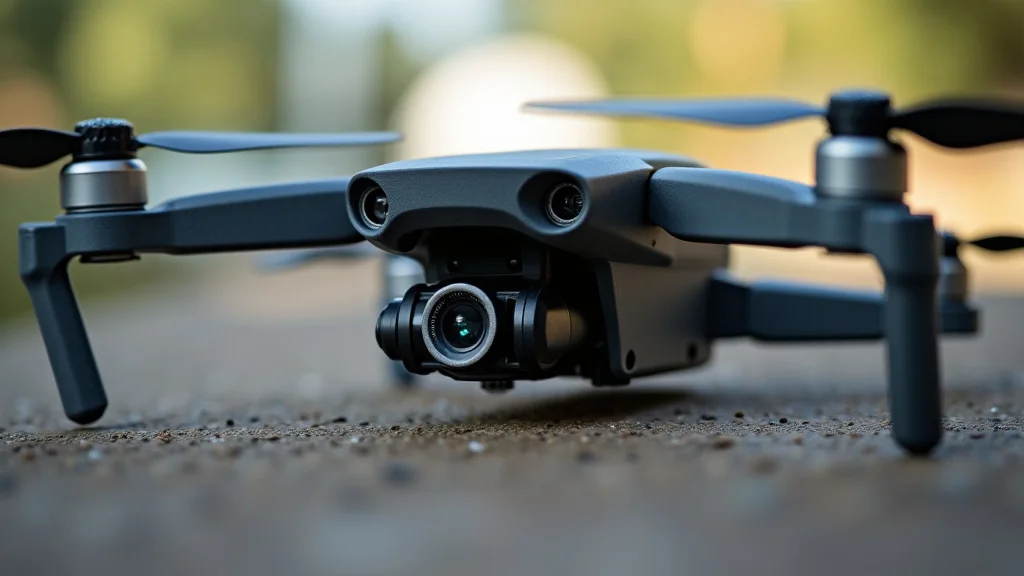
Remember that old, beat-up RC car you tried to fix as a kid? Well, imagine taking that experience and applying it to something much cooler: building your own drone! Maybe you’ve seen those amazing aerial shots online or watched drones zip through the sky and thought, “I want to do that!” This guide is for you. We’ll explore the world of drone parts DIY, breaking down everything from choosing components to putting it all together. You’ll gain the confidence to create your own flying machine, expand your knowledge, and possibly save some money. Get ready to explore the exciting possibilities of building your own drone!
Key Takeaways
- Learn the essential components of a drone and how they work.
- Discover how to choose the right parts for your specific needs and budget.
- Understand the process of assembling a drone, step-by-step.
- Explore the software and programming aspects of drone flight.
- Find resources and tips for troubleshooting and maintenance.
- Master the art of flight safety and responsible drone operation.
Essential Drone Components and Their Functions
Before you begin the drone parts DIY project, it is essential to explore the key parts. A drone, at its heart, is a collection of interconnected systems working in harmony. Each part plays a special role in flight, control, and performance. Without a firm grip of these components, your drone-building adventure might crash before it even lifts off.
The Flight Controller
The flight controller is the brain of your drone. It’s a small circuit board that receives signals from your remote control, processes them, and then sends commands to the motors. Think of it as the drone’s central nervous system. It uses sensors such as gyroscopes, accelerometers, and a barometer to understand the drone’s orientation and altitude. The flight controller is the critical element determining how stable and responsive your drone will be. The quality of your controller can impact your drone’s flight abilities, and you should choose wisely. Advanced controllers have features like GPS for position holding, return-to-home functions, and waypoint navigation.
For example, if you tilt the control stick forward, the flight controller processes this command and adjusts the speed of the front motors to tilt the drone forward. If the drone is pushed by a sudden gust of wind, the flight controller will detect the change in the drone’s orientation and quickly adjust the motor speeds to counter the wind and maintain a stable position. Flight controllers vary greatly in price and features, so it’s best to choose one that aligns with your experience level and desired flight capabilities.
- Types of Controllers: There are various flight controllers available, including those that support Betaflight, iNav, and Ardupilot firmware. Each option comes with different interfaces and features.
- Firmware: Firmware updates are essential for improving flight performance and getting new features. Ensure the controller you select supports easily updatable firmware.
- Sensor Integration: Look for controllers with integrated sensors like a barometer for altitude and an accelerometer for orientation and motion, and consider if you will be needing GPS.
- Processing Power: The more processing power a flight controller has, the more quickly and efficiently it can respond to input. This leads to smoother and more predictable flight.
The Motors and Electronic Speed Controllers (ESCs)
The motors are what make the propellers spin, generating the thrust needed for flight. There are typically four motors on a quadcopter. They convert electrical energy into mechanical energy, spinning the propellers to provide lift and maneuverability. The Electronic Speed Controllers (ESCs) are the gatekeepers of power, regulating the electricity supplied to each motor. The ESCs receive signals from the flight controller and adjust the motor speeds to achieve the desired movement and maintain stability. The combination of the motors and ESCs determines how powerful and efficient your drone is. Your drone’s ESCs should match the motor requirements for effective and safe flight, so make sure they are compatible.
When you move the control stick, the flight controller relays the signal to the ESCs. The ESCs then adjust the power sent to the motors, causing the propellers to spin faster or slower. This precise control over motor speed enables the drone to move up, down, forward, backward, and sideways. For instance, when you want the drone to go up, the ESCs increase the power to all the motors, making all propellers spin faster. To turn left, the ESCs increase the speed of the right-side motors and decrease the speed of the left-side motors.
- Motor Types: Brushless motors are common because they are powerful and efficient. Different sizes are available, so you can pick the ones that suit your drone’s size and lift capacity.
- ESC Specifications: ESCs must match the current and voltage requirements of the motors. Consider ESCs with features like overcurrent protection.
- Propeller Selection: The size, shape, and pitch of propellers dramatically affect flight performance. Matching propellers to your motors and ESCs is essential.
- Motor Mounting: Make sure you have a proper mounting method to secure the motors to the frame. The mount should absorb vibrations to ensure smooth flight.
The Frame, Propellers, and Battery
The frame is the structural backbone of the drone. It holds all the components together. It also protects the internal electronics from crashes. Frames come in various designs, from simple X-shaped quadcopter frames to more complex configurations. Frames are typically made from lightweight materials like carbon fiber or plastic to minimize weight and improve flight time. Propellers are what generate lift. The battery is the fuel source, providing the power needed for flight. These three are vital for any drone parts DIY build.
The frame supports the weight of all the components. In the event of a crash, the frame absorbs the impact. The propellers generate lift. They do so by spinning and pushing air downwards, creating an equal and opposite force that lifts the drone. The battery provides the power needed for the flight controller, motors, and other components. It stores electrical energy and releases it to power your drone’s flight. When choosing these components, think about the frame’s weight, the propellers’ efficiency, and the battery’s capacity.
- Frame Design: Consider the frame’s size, weight, and material. Carbon fiber is very strong and lightweight, but it can be more expensive.
- Propeller Types: Different propellers provide unique flight characteristics. Consider the material and blade shape.
- Battery Capacity: Battery capacity determines flight time. Higher capacity batteries usually mean longer flights.
- Frame Durability: Frames made from carbon fiber are the strongest, while plastic frames can be more affordable and easier to work with.
Choosing the Right Parts for Your Drone
Picking the correct parts is key for a successful drone parts DIY build. The choices you make will determine the performance, stability, and capabilities of your finished drone. Consider your budget, intended use (like racing, photography, or general flying), and your experience level when choosing components. Thorough research and careful selection will save you headaches.
Budget Considerations
Setting a budget is the first step. The cost of building a drone can range from under $100 to over $1,000, depending on the components selected. Start by establishing a price limit. This will guide your selections and help you avoid overspending. Remember to factor in not just the core components but also additional items, such as the remote control, batteries, charger, and any tools required for assembly. It’s smart to allocate a small percentage of your budget for spare parts, as crashes are a common occurrence.
A good rule of thumb is to spend more on the core components. Those include the flight controller, motors, and ESCs. These have the greatest impact on flight performance and stability. You might be able to save on less crucial parts like the frame or camera initially. However, always prioritize safety and quality. Low-quality components can lead to poor performance and potentially dangerous situations. When you start, aim for a balanced build where each component is appropriate for your budget and goals.
- Component Pricing: Prices fluctuate, so research different suppliers. Consider the quality-to-cost ratio when choosing parts.
- Essential vs. Optional: Identify must-have components first. Then you can add optional extras as your budget allows.
- Sales and Bundles: Shop around for sales and bundled deals. You can often get better value by purchasing components together.
- Spare Parts Budget: Set aside a small amount of money for spare parts. This helps get you back in the air sooner after a crash.
Intended Use and Performance
The use you have in mind for your drone should shape your component choices. Will you be racing, taking photos and videos, or simply flying for fun? These are some of the things you should consider. For racing, you will require powerful motors, a responsive flight controller, and a durable frame. For photography, stability and flight time are more critical than speed. Consider whether you need a high-quality camera and gimbal for smooth shots. If your goal is general flying, a balance between performance, cost, and ease of use is usually ideal.
For example, if you plan to capture aerial footage, a drone with a stable gimbal will be essential to reduce camera shake. You might choose components that are more focused on stability and flight time, such as larger propellers and a higher-capacity battery. The quality of your camera will also be an important decision. On the other hand, if racing is your priority, speed is the key. You’ll want to choose lightweight components, high-performance motors, and a fast flight controller. Different scenarios have different requirements, so pick the parts that match your intended use.
- Racing: High-performance motors, a responsive flight controller, and a durable, lightweight frame are essential.
- Photography/Videography: Prioritize stability with a gimbal, quality camera, and longer flight times.
- General Flying: Balance performance, cost, and ease of use to create a versatile drone.
- Component Compatibility: Make sure the parts are compatible with one another. Check that motors match ESCs and the frame can handle the weight.
Experience Level and Skill
Your experience level will determine which parts are right for your build. If you’re new to drone building and flying, start with more user-friendly components. More advanced components may have more complex settings and require a higher skill level to operate. A beginner might want to choose a pre-built frame or a flight controller that’s easier to configure. As your skills grow, you can upgrade components and explore more advanced features. This strategy will assist you in gaining hands-on experience and will ensure your project is a success.
Starting simple makes learning easier. Avoid diving into advanced features from the beginning. Focus on getting the basics right, such as flight stability and control. Choose components that are known for their reliability and ease of use. Once you feel comfortable flying and have a deeper understanding of how everything works, you can explore upgrading to more advanced gear. This staged approach allows you to learn at your own pace. It also prevents frustration. This makes drone parts DIY more enjoyable.
- Beginner-Friendly Components: Pre-built frames and simplified flight controllers can make assembly and setup easier.
- User Manuals and Tutorials: Choose components that come with good documentation and plenty of online resources.
- Start Small: Beginning with a simpler build is a great way to learn. It also helps to develop your skills.
- Upgrade Gradually: As you gain experience, you can upgrade components and explore new features.
Assembling Your Drone: A Step-by-Step Guide
Building a drone involves many steps, from laying out components to flashing firmware. It is important to approach the build methodically and pay attention to detail. This section provides a detailed step-by-step guide to assembling your drone. Following these steps carefully will help to ensure your drone takes flight successfully. Remember to check all connections and make sure everything is securely mounted before the first flight.
Preparing the Frame and Mounting Components
Before you begin assembling the electronics, start by preparing the drone frame. The frame serves as the foundation. Your first task is to familiarize yourself with the frame’s design. This means identifying the mounting holes and any pre-drilled features. Then, you can mount the motors to the frame. Using the correct screws and following the manufacturer’s instructions is crucial for a strong, safe attachment. Next, you’ll install the flight controller. This is typically done with standoffs or double-sided tape. Make sure the flight controller is oriented correctly, as this is vital for the drone’s flight performance.
For example, a quadcopter frame usually has four arms. These arms support the motors and propellers. You’ll attach the motors to the ends of the arms. Double-check that you are using the correct screws to avoid damaging the motor housings. When installing the flight controller, ensure that the arrow on the board points forward. This is essential for proper orientation and flight control. Carefully position the flight controller, making sure it sits flat and is securely mounted. Be sure that everything is aligned, so the build process is as simple as possible.
- Frame Inspection: Check all mounting holes and structural integrity. Examine the frame for any damage.
- Motor Mounting: Attach the motors to the frame arms using the appropriate screws. Make sure the motors are secure.
- Flight Controller Mounting: Position the flight controller correctly on the frame. Use standoffs or tape for secure mounting.
- Component Placement: Plan the layout. Think about where you will place each component for easy access and balanced weight distribution.
Wiring and Soldering
Wiring and soldering is the most challenging, but also one of the most important aspects of drone parts DIY assembly. Correct wiring ensures that all the components can communicate and function correctly. It is important to prepare your wires by stripping the insulation off the ends and applying solder. You can then connect the ESCs to the motors and the flight controller. The ESCs power the motors, while the flight controller provides the control signals. Take extra care to connect the ESCs to the power distribution board (PDB), ensuring the correct polarity. Connecting the battery leads to the PDB is the final step, providing power to the system.
For example, when connecting the ESCs to the flight controller, the wires should match the order indicated on the flight controller. When soldering, be patient, and make sure that the solder joints are clean. Using heat shrink tubing can protect your joints and prevent short circuits. Before connecting the battery, visually inspect all wiring. Make sure everything is connected correctly. A properly wired drone is safer and will perform better.
- Wire Preparation: Strip the insulation from the wires. Prepare them for soldering with a tinning of solder.
- ESC Connections: Connect the ESCs to the motors and the flight controller. Confirm that all wires go in the correct spots.
- Power Connections: Connect the ESCs to the PDB and the battery leads to the PDB. Always double-check polarity.
- Soldering Technique: Use a soldering iron and flux to create strong, clean joints. Protect joints with heat shrink tubing.
Configuration and Testing
Once your drone is wired, it’s time to set up the software. First, install the necessary software on your computer. This typically involves software for your flight controller, such as Betaflight or iNav. Connect the flight controller to your computer with a USB cable and install the right drivers. Then, upload the firmware to the flight controller. This process will determine how your drone will behave. Next, configure the flight controller settings. The settings include motor direction, receiver setup, and flight modes. Be sure to configure your radio receiver. This will allow the drone to understand your remote control inputs. Finally, perform some basic tests. These tests include motor spin-up tests and control surface checks to ensure everything is working correctly.
For example, if you are using a Betaflight flight controller, you will need to download and install the Betaflight configurator software on your computer. After installing the software and uploading the firmware, you’ll need to configure the motors. Verify that each motor spins in the correct direction. If not, swap any two motor wires. Set up the flight modes such as Angle mode or Acro mode. When testing the controls, verify that the drone responds correctly to your commands. If the motor spin-up tests or control checks show any issues, then troubleshoot them immediately. These tests are key to a successful first flight.
- Software Setup: Install the software and drivers for your flight controller. Know how to upload the right firmware.
- Configuration: Configure motor directions, receiver setup, and flight modes in the software.
- Radio Receiver Setup: Set up your radio receiver to ensure your controls work.
- Testing: Test the motors, control surfaces, and other functions before the first flight. Be sure to verify that the system responds to commands.
Drone Software and Programming Basics
Software is as crucial to a drone’s operation as the hardware. Flight controllers run on specialized firmware that manages the drone’s behavior. Understanding some basics will give you more control and allow you to tweak your drone’s performance. The firmware receives input from sensors and the remote control and outputs commands to the motors. This process allows your drone to stay stable, respond to your controls, and execute autonomous flight plans. Different firmware options offer different features and customization options. Understanding these foundations will help you customize your flight experience.
Flight Controller Firmware
The firmware on a flight controller is a vital piece of software that governs the drone’s flight. It’s the operating system for the drone. It takes data from the sensors, processes pilot input, and sends instructions to the motors. There are different types of firmware. Each comes with its own set of features and capabilities. Betaflight is the most popular, known for its performance and customization options. iNav offers features like GPS navigation. Ardupilot is a very capable option for advanced flight modes. Each has its strengths, so choosing the right firmware depends on your needs. Updating the firmware is a standard process that enhances your drone’s flight experience.
For example, with Betaflight, you can modify flight characteristics such as PID settings. These settings control the drone’s responsiveness to your controls. You can also configure flight modes, such as Acro or Angle, depending on the pilot’s skill level. iNav allows you to add GPS functionality. You can add functions like return-to-home, which enables the drone to return to its takeoff point automatically. Ardupilot gives you advanced autonomous flight capabilities, such as waypoint navigation. You can program your drone to fly along a pre-set path. The firmware determines your drone’s capabilities, so choose wisely.
- Firmware Options: Familiarize yourself with options such as Betaflight, iNav, and Ardupilot. Each offers different functions.
- PID Tuning: Learn how to adjust PID settings to optimize flight performance. PID tuning can improve flight stability.
- Flight Modes: Explore different flight modes like Acro, Angle, and Horizon mode. Each will enhance your experience.
- Firmware Updates: Learn how to update the firmware to get the latest features. Firmware updates can fix bugs and improve performance.
Basic Programming Concepts
Besides the flight controller, programming plays an important role in how your drone works. Some drones have programmable features, which can be useful for functions like autonomous flight. Programming requires knowledge of the software and programming languages, such as Python. These are useful when setting up flight paths or controlling cameras and other payloads. This kind of programming allows you to add extra functionality to your drone, like using it for specialized tasks.
For example, if you want your drone to fly a pre-determined path for filming, you could program the drone using a software tool. This program would define a series of waypoints for the drone to follow. Another example is programming the drone to trigger the camera at certain intervals or locations. These operations require familiarity with drone control software, such as Mission Planner or QGroundControl. Learning some basic programming skills can really enhance your drone building and flying.
- Flight Planning Software: Use software like Mission Planner and QGroundControl to program flight paths. You can add extra functionality to your drone.
- Waypoint Navigation: Understand how to set up and manage waypoints for autonomous flights. You can enhance your user experience.
- Scripting Languages: Learn about scripting languages, like Python, to automate tasks and build custom functions. This makes your experience more fun.
- Sensor Integration: Learn how to incorporate sensors, such as GPS and cameras. This improves the use of your drone.
Troubleshooting and Maintenance
Even with careful assembly and programming, your drone might encounter issues. This section focuses on essential troubleshooting steps, maintenance tips, and safety practices. These factors are important for a long-lasting and reliable drone. Learning how to fix problems and do regular maintenance is essential to avoid crashes. Knowing the basic troubleshooting techniques and practicing regular maintenance will make your flying experience both more reliable and safer.
Common Problems and Solutions
Drones can encounter a wide range of problems, from minor glitches to major flight issues. One common issue is that the drone does not respond to the controls. If this happens, verify the connection between your radio and the receiver. Another problem is the drone’s instability, which can be caused by improper calibration or incorrect PID settings. If your drone is not flying smoothly, then calibrate the sensors. It might be helpful to adjust the PID settings in the flight controller software. If the motors are not spinning up, then check the wiring. Double-check the battery connection and make sure the motors are properly connected.
For example, if your drone drifts in a certain direction even when the controls are centered, it might need recalibration. Using the flight controller software, recalibrate the accelerometers and gyroscopes. If your drone seems sluggish or unresponsive, then adjust the PID settings. PID settings are the parameters that control how your drone reacts to input from the remote control. If the motors do not spin, check the ESCs and wiring. Make sure everything is connected correctly. Many issues can be resolved with some basic troubleshooting.
- Non-Responsive Controls: Check the radio and receiver connection. Verify that the transmitter is bound to the receiver.
- Instability: Recalibrate the sensors and adjust PID settings in the flight controller software. PID settings can enhance performance.
- Motor Issues: Check the wiring and battery connections. Make sure that the motors have been properly connected.
- Firmware Issues: Re-flash the firmware on the flight controller. Make sure that you are using the right firmware.
Maintenance and Regular Checks
Regular maintenance is a great way to extend your drone’s life and ensure that it is safe to fly. Start by inspecting your drone before each flight. Check the propellers for damage. Damaged propellers can cause instability or, worse, a crash. Inspect the frame for cracks or damage, as this will affect its structural integrity. Check all the screws and connections to ensure they are tight. After each flight, clean your drone. Remove any dirt or debris that might affect performance. Then, store your drone in a safe location. The proper storage can protect your investment.
For example, before each flight, carefully examine the propellers for any chips or cracks. Replace damaged propellers before flying. Check the frame for any visible damage or loose screws. After each flight, clean your drone to remove any dust or debris. This includes wiping down the motors, frame, and camera, if equipped. When the drone is not in use, store it in a dry, safe location away from direct sunlight and extreme temperatures. Routine maintenance is important for safe and reliable flights.
- Propeller Inspection: Inspect the propellers before each flight for damage. It’s an easy thing to do.
- Frame Check: Check the frame for any cracks, loose screws, and general wear and tear. It’s always smart to do.
- Cleaning: Clean the drone after each flight to remove debris. This will enhance the overall performance.
- Storage: Store your drone in a safe, dry place to protect it when it’s not in use. This can prevent damage.
Flight Safety and Responsible Drone Operation
Safety is the most important aspect of flying drones. Understanding and following safety guidelines is essential for safe operation. Always be mindful of the laws and regulations. You should also be aware of the environment around you. Responsible drone operation protects the pilot, the public, and the surrounding environment. Be sure to understand your role as a pilot. Prioritizing safety and responsible practices will make your flights a more enjoyable experience.
Safety Guidelines and Regulations
Before flying your drone, you should know the local rules. These rules vary depending on where you are. Regulations might limit where you can fly, how high you can fly, and the weight of your drone. Always maintain visual line of sight with your drone. Do not fly over people. Respecting other people and property is vital. The Federal Aviation Administration (FAA) in the United States sets many rules. Learn these rules, or the ones that apply to your location. Ignoring regulations can result in fines and other penalties. It also poses risks to others.
For example, the FAA sets rules regarding drone operation near airports and other restricted areas. These rules include restrictions on altitude and distance from other aircraft. In most areas, you are required to keep your drone within your line of sight. This means you must be able to see your drone at all times. Remember, you must respect the privacy of others. Do not record anyone without their permission. Follow all local and federal regulations to stay safe and legal. By following these rules, you will enjoy a responsible experience.
- Know the Laws: Learn the local regulations for drone operation. Regulations can vary widely depending on the location.
- Visual Line of Sight: Always keep your drone within sight. This ensures that you are aware of your drone’s position.
- No-Fly Zones: Avoid flying drones near airports, restricted areas, and populated spaces. They are unsafe to operate in these areas.
- Respect Privacy: Respect the privacy of others. Do not record anyone without their permission.
Operating in Different Environments
The environment around you will affect your drone’s flight. Consider the weather conditions. Avoid flying in high winds, rain, or snow, as this can affect your drone’s performance and potentially damage it. Be mindful of obstacles like trees, power lines, and buildings. Always consider the terrain. Take off and land in open areas to avoid crashing your drone. Understanding the weather and your surroundings will help to ensure a safe and successful flight.
For example, strong winds can make controlling a drone difficult. In rain or snow, water can damage your drone’s electronics. Be sure to avoid flying near power lines, which can pose a significant danger. Trees and buildings can create turbulence. These can make your drone crash. Before flying, check the weather forecast for wind speed, precipitation, and visibility. Identify any potential hazards or obstacles in your flying area. Always choose safe and open spaces for takeoffs and landings. Operating responsibly and carefully makes it possible to have an enjoyable experience.
- Weather Conditions: Avoid flying in strong winds, rain, or snow. The weather will affect the flight capabilities.
- Obstacle Awareness: Be aware of trees, power lines, and buildings. They might cause issues.
- Terrain Awareness: Take off and land in open areas. Try to avoid uneven terrain.
- Environment Monitoring: Constantly monitor the environment to be aware of your surroundings. Stay aware of risks.
Common Myths Debunked
Myth 1: Building a Drone Is Too Difficult for Beginners
In reality, building a drone is more accessible now than ever. It’s true that the process can seem complex at first, but with the right resources and a bit of patience, anyone can build one. Start with simpler projects and work your way up. Online tutorials and community forums provide tons of support. Many hobbyists have started with little knowledge and built drones successfully. The process might seem difficult, but with patience and the right resources, you can learn and build your own drone.
Myth 2: You Need to Be an Expert in Electronics to Build a Drone
While some knowledge of electronics is helpful, it’s not a requirement. Many components are designed to plug in and work together. Also, there are detailed guides available that walk you through each step. Basic soldering skills can be useful, but you can learn as you go. Focus on following instructions and understanding how the components work together. You’ll gain skills along the way, making the drone parts DIY project less intimidating.
Myth 3: All Drone Components Are Expensive
The cost of building a drone can range widely. While some advanced parts can be pricey, you can build a capable drone on a budget. Prices are always changing, so do your research to find the best deals. Shop for used or refurbished parts. Start with the essential components, such as the frame, motors, and flight controller. You can upgrade other components later. There are lots of options available to match a variety of budgets, making it an accessible hobby.
Myth 4: Drones Are Only for Professional Use
Drones are very versatile. While professionals use drones for photography, surveying, and other tasks, they are great for hobbyists. There are plenty of fun things that you can do with a drone. You can use a drone for aerial photography. You can also use it for racing or just to experience the joy of flying. Drones are great for recreational activities. You can pick parts according to your interests and have lots of fun with your custom-built drone.
Myth 5: Drone Flights Are Always Safe
Safety depends on how you operate the drone. While drones are generally safe, accidents can occur if proper safety precautions are ignored. Always follow all regulations. It is important to know the limitations of your drone. You should also understand how to respond to emergencies. By following safety guidelines and being a responsible pilot, you can reduce the risks and enjoy safe flights.
Frequently Asked Questions
Question: What tools do I need to build a drone?
Answer: You will need basic tools such as a soldering iron, wire strippers, screwdrivers, and a multimeter. A 3D printer can be used for building custom frame parts.
Question: What’s the best flight controller for beginners?
Answer: Flight controllers like the Matek F405-CTR or the HGLRC Zeus F4 are popular options. These controllers are easy to configure and they offer good performance.
Question: How can I improve my drone’s flight time?
Answer: To improve flight time, use efficient motors and propellers. You can also minimize the drone’s weight. Additionally, you should choose a battery with a higher capacity.
Question: What do I do if my drone crashes?
Answer: First, recover your drone and inspect it for damage. Then, replace any damaged parts, and ensure all connections are secure. Finally, re-calibrate the flight controller.
Question: Where can I find spare parts?
Answer: You can find spare parts at online drone retailers like GetFPV or RaceDayQuads. Local hobby shops are also good options. These are great options for finding spare parts.
Final Thoughts
Building your own drone opens up a world of possibilities. You now have the basic information you need to explore the world of drone parts DIY. You’ve explored the core components, learned how to choose the right parts, and walked through the assembly process. You have a solid grasp of software setup. You also have the skills for basic troubleshooting and maintenance. Remember to prioritize safety and responsible operation in all your flights. The most important thing is to have fun and enjoy the process. Continue learning, experimenting, and refining your skills. The next step is to research your components, choose your parts, and start building. With each flight, you will build new skills. Now you’re prepared to take flight!